DemoBuilder
Initial Steps
In a nutshell, the overall steps are:
- Cleanup your subscription if needed
- Create the RGs
- Create the VirtualNetwork and Subnet. NSGs will also be created
- Create DC01 and remote into it (for the duration of this preparation, RDP external would be enabled)
- Install DNS and Active Directory Role and promote the server
- Configure VLAN DNS
- Deploy “CloudConnector” Server and join it to AD
- Install AD Connect and sync
- Configure and install Entra Private Access Agent
- Configure Intune to deploy Global Secure Access client
- Change NGSs to block external RDP access
- Deploy local VM in Hyper-V, connect
- Profit $$
Requirements
Some of these requirements might be negotiable and others are so simple that it doesn’t make sense to change
- Access to Azure and Entra ID-backed M365 as global Admin.
- Your login info should not be using your @microsoft.com login
- Hyper-V enabled on your local Machine. You could start the installation of Windows 11 Pro or Enterprise but not go thru the OOBE (OOBE is when Windows starts to ask you about your keyboard and language). See the Hyper-V and VM instructions
- Hyper-V requires a restart, so enable it beforehand.
- Try to use the most up to date version of W11 Pro or Enterprise as possible, 24h2 for example.
- A browser profile, or a total new browser installation (example, Edge Preview) with your login info saved.
- A Public Domain, .com, .net, .info, it doesn’t really matters. I recommend Godaddy for the fast replication time, however, any would do
- Any here means, any domain registrar that ALSO PROVIDES DNS. It’s doable to use your own DNS, however, is yet another service either your subscription or you will have to pay for.
- Example of Registrar not providing DNS is most of the local registrar, like .cr or .co.cr
- Your domain should be already registered as Verified at Entra
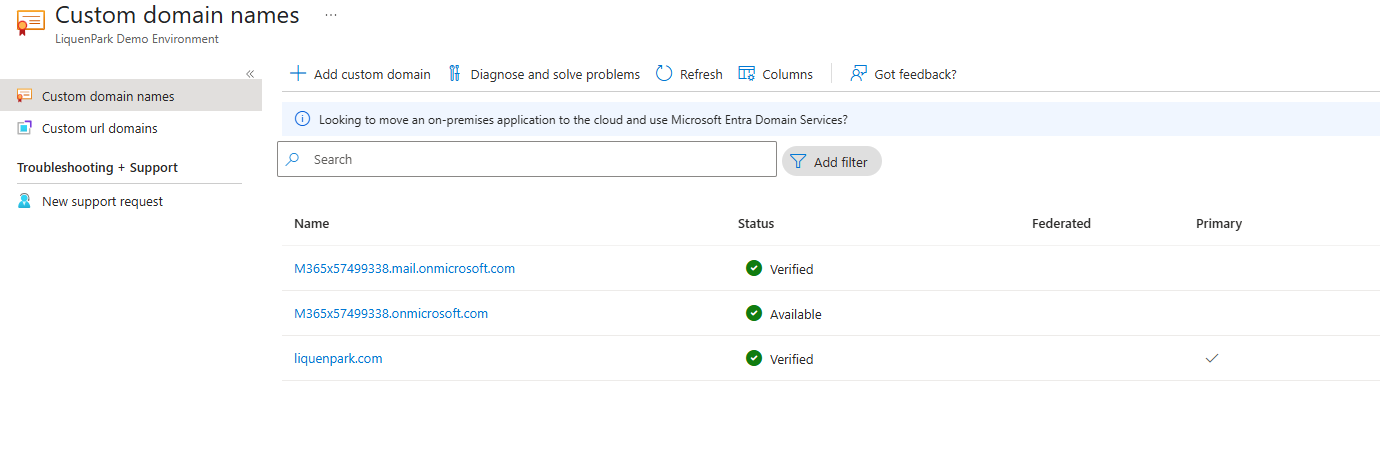 Note that the domain is added as TLD, not using any subdomain